
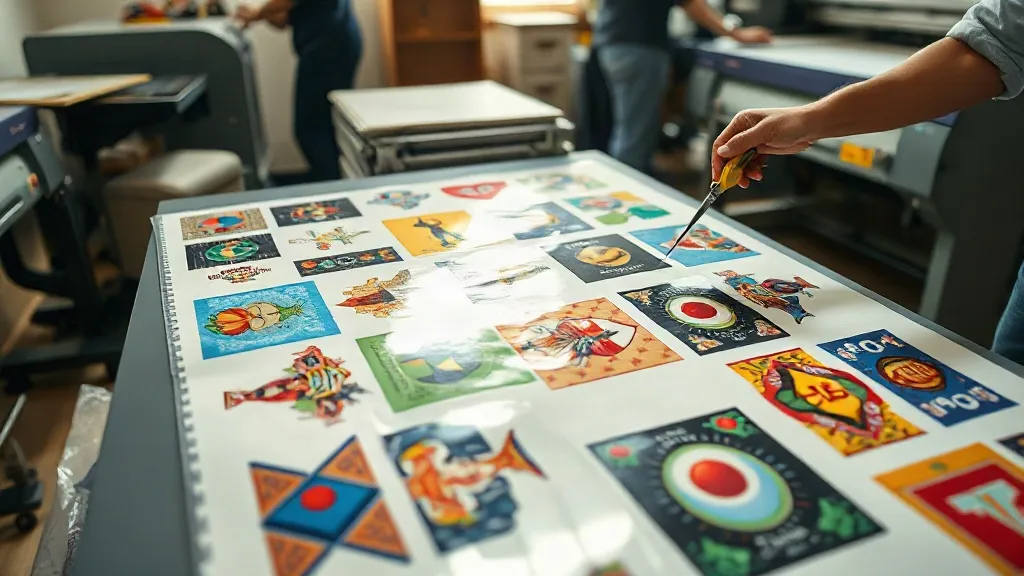
If you run a small apparel business or a print shop, you know that offering custom designs without breaking the bank is a constant challenge. Screen printing setup fees, vinyl cutting time, and minimum order quantities can eat into your margins. That's where DTF Gangsheet comes in. This relatively new approach to direct-to-film printing lets you gang multiple designs onto a single sheet, dramatically reducing waste and per-unit costs. In this article, I'll share what I've learned from using DTF gangsheets in my own shop, including practical tips to get the most out of them.
What Is a DTF Gangsheet?
A DTF gangsheet is essentially a large film sheet on which multiple designs are printed simultaneously using DTF technology. Instead of printing each design individually, you arrange several designs on one sheet, leaving minimal gaps. The sheet is then powdered with adhesive, cured, and can be pressed onto fabrics. The key advantage is efficiency: you use less film, less ink, and less time per design. For businesses that handle a variety of small orders, gangsheets can be a game-changer.
How DTF Gangsheets Differ from Traditional DTF Printing
Traditional DTF printing involves printing one design per sheet, which is fine for large orders but wasteful for small batches. With gangsheets, you optimize the layout to fit as many designs as possible. This requires some planning and software, but the savings add up quickly. I remember when I first switched to gangsheets, my film costs dropped by nearly 30% in the first month.
Why DTF Gangsheets Are a Cost-Effective Solution
Let's break down the economics. DTF printing already eliminates the need for screens and plates, but gangsheets take it further by maximizing material usage. Here's a closer look at the savings:
- Reduced film waste: By nesting designs tightly, you use less film per design. Film is a significant cost in DTF printing, so this directly impacts your bottom line.
- Lower ink consumption: Printing multiple designs at once means less ink wasted on borders and setup. You also reduce the number of print head cleanings.
- Time savings: Handling one large sheet instead of many small ones speeds up the powdering and curing process. In my shop, batching designs saved me about 15 hours per week.
- No minimum order quantity: Unlike screen printing, you can print just one gangsheet with a variety of designs, making it ideal for sample packs or small custom orders.
These factors combine to lower your cost per piece, allowing you to offer competitive prices without sacrificing quality.
How to Create an Efficient Gangsheet Layout
Creating a gangsheet isn't just about throwing designs together. A well-planned layout can mean the difference between profit and loss. Here's my step-by-step approach:
- Gather your designs: Collect all the designs you need to print for the week. Group them by size and color complexity to optimize ink usage.
- Use nesting software: Invest in software that automatically arranges designs to minimize wasted space. I use a basic RIP software that does the trick.
- Leave a small gap: Leave about 2-3 mm between designs to make cutting easier and prevent color bleeding.
- Consider the film width: Standard DTF film comes in widths like 13", 17", or 24". Choose the width that best fits your designs to avoid excess trim.
- Test and adjust: Print a small test sheet to check for alignment and color accuracy before committing to a full run.
I also recommend keeping a library of common designs that you can quickly add to fill gaps. Over time, you'll develop a sense for what layouts work best.
Common Mistakes to Avoid
Even experienced printers make mistakes when starting with gangsheets. Here are a few pitfalls I've encountered:
- Overcrowding: Packing designs too tightly can lead to cutting errors and adhesive issues. Always leave a margin.
- Ignoring color profiles: Different fabrics require different color settings. Make sure to adjust your ICC profiles accordingly.
- Forgetting about garment orientation: Remember that designs will be pressed onto garments, so orientation matters. Double-check that your layout matches the final placement.
Avoiding these mistakes will save you reprints and frustration.
Real-World Applications and Success Stories
DTF gangsheets are versatile. I've used them for everything from custom t-shirts for local sports teams to promotional hoodies for small businesses. One client needed 50 shirts with 10 different designs for a family reunion. With gangsheets, I completed the order in a day and at a cost that beat any other method. Another example: a boutique that sells limited-edition designs. They use gangsheets to produce small batches of multiple designs, keeping inventory low and variety high.
Beyond apparel, gangsheets work well for tote bags, hats, and even home textiles. The key is that DTF adheres to a wide range of fabrics, including cotton, polyester, and blends.
Tips for Maximizing Your DTF Gangsheet Investment
To get the most out of your gangsheets, consider these practical tips:
- Invest in a quality printer: A reliable DTF printer with good resolution and consistent output is essential. Cheap printers often lead to clogs and misprints, negating the savings.
- Use high-quality film and powder: Skimping on consumables can cause adhesion problems and dull colors. I learned this the hard way.
- Maintain your equipment: Regular cleaning and maintenance prevent downtime and costly repairs.
- Train your staff: Ensure everyone follows the same layout and printing procedures to maintain consistency.
- Track your costs: Keep a close eye on film, ink, and labor costs per sheet. Adjust your pricing accordingly.
These practices will help you sustain profitability over the long term.
Frequently Asked Questions
Can I use a DTF gangsheet for one-off custom orders?
Absolutely. Gangsheets are perfect for one-offs because you can combine multiple designs on a single sheet, even if they're for different customers. This spreads the cost across several orders.
What file format should I use for gangsheet designs?
Most RIP software accepts PNG, TIFF, or PDF files with transparent backgrounds. Ensure your designs are high resolution (300 DPI) for crisp prints.
How do I calculate the cost per design on a gangsheet?
Divide the total cost of the sheet (film, ink, powder, labor) by the number of designs on it. This gives you a baseline cost per design, which you can use for pricing.
Is DTF printing durable on all fabrics?
DTF transfers are durable on most fabrics, but they perform best on cotton and polyester blends. For nylon or silk, test a small area first.
Can I reuse a gangsheet?
No, DTF gangsheets are single-use. Once the design is transferred, the film cannot be reused. However, you can store unused portions if you haven't powdered and cured them yet.